
I Keep Losing My Ideas
I built this because I kept losing ideas mid-conversation with AI.
Turns out — a lot of people have the same problem.
That’s Just How It Goes
I’ve always been the type to forget.
Ideas come. Execution doesn’t.
I’m never quite prepared. Halfway through a meeting:
“Ugh — I should’ve written that down.”
At some point I just… accepted it.
“Everyone’s like this, right?”
“That’s just how it goes.”

Notebooks. Apps. Texting Myself.
I did try.
Notebooks — I couldn’t find them.
Notes apps — 300 entries and nothing I needed.
Texting myself — buried under hundreds of other messages. Gave up.

If you can’t find it later, you never really saved it.
There’s a reason self-help books fill entire shelves.
Human brains aren’t wired for organization.
We think, we forget, we think again, we forget again.
That’s completely normal.
Wait — AI Can Do the Organizing
Then one day I started using AI — and something clicked.
“I’m bad at explaining things. I ramble. Nothing comes out clean.”
But when I dumped a messy thought at an AI, it handed back something sharp and structured.
Summary: Find nearby shop + compare quotes
Deadline: Before next month
Tags: #car #maintenance

I just talk. AI cleans it up. I pull it out when I need it.
That was the moment things started.
If It’s Annoying to Use, I Won’t Use It
One condition — non-negotiable.
Open an app, pick a category, type a title — if that takes more than 10 seconds, I’m not doing it.
That’s me. That’s most people.
So I went with Telegram.
It opens like a chat. That’s it.
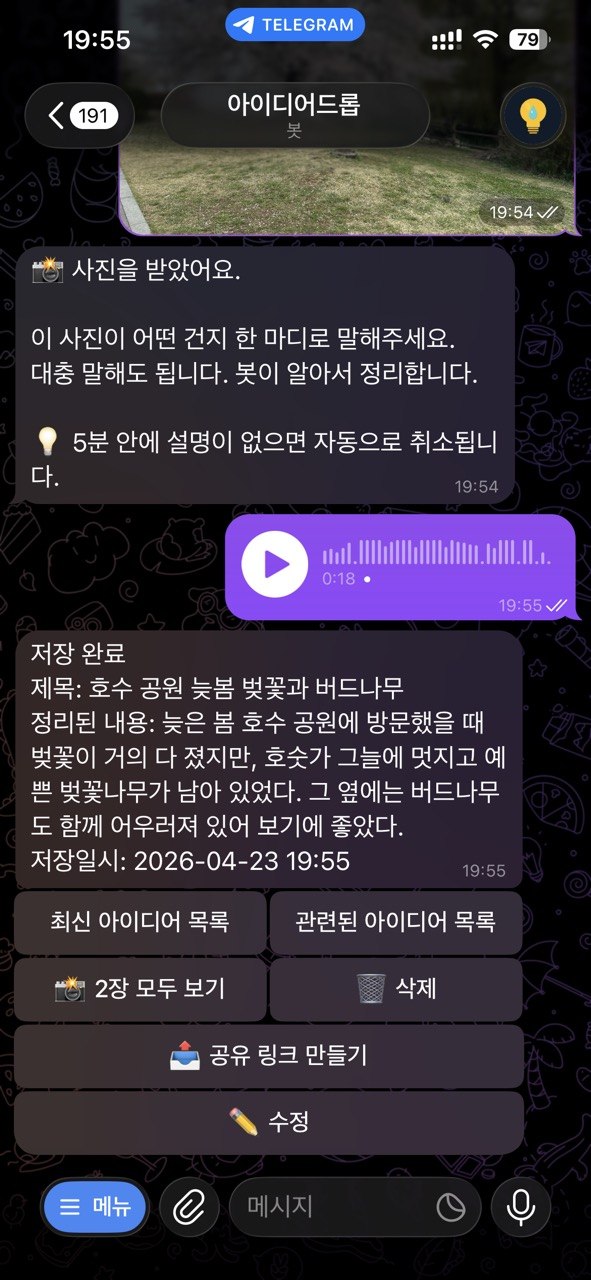
Type, voice memo, snap a photo and send.
That’s the whole thing.
Get a new task mid-work? Toss it to the bot.
“Schedule this for Tuesday next week” — it lands in Google Calendar.
Then I go back to what I was doing.
Books say “do the quick things first.”
I disagree.
Stay focused. Drop it in. Don’t lose it.
You forget because you’re human — not because you’re bad at this.

One Photo Beats Ten Sentences
Something I didn’t expect: photos turned out to be incredibly powerful.
The brain processes images at a scale that text can’t match.
One photo brings back the feeling, the context, the whole moment — instantly.
Ten lines of notes can’t do that.
Scrolling… scrolling…
Never found it.
→ Instant result
Date & context included
Search “vacuum” later to pull it up anytime.
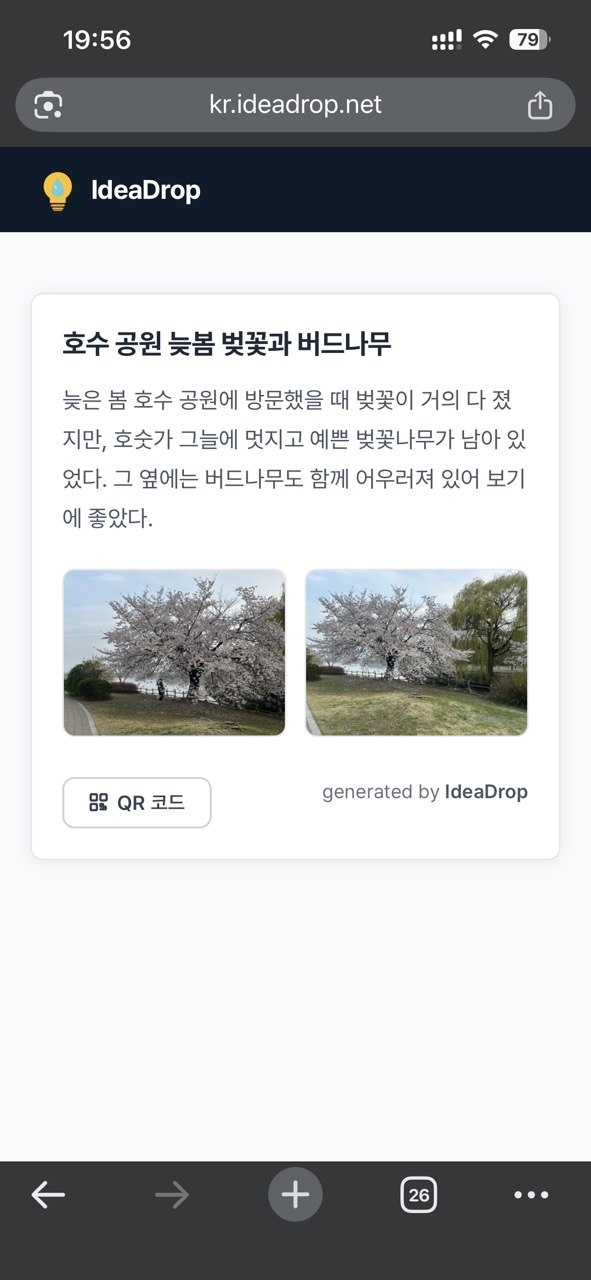
A few photos + a rough note → AI structures it → a clean shareable page.
Works as a restaurant menu. A property listing. A project handoff.

I Didn’t Even Know I Was Trapped
The moment I tried to share something with someone else — it broke.
Every platform has a fence around it.
They don’t want your ideas to leave.
They want you inside their walls.
One Link. Works Anywhere.
So I built a share link.
Take an idea out of IdeaDrop → hit share → get a link.
The person on the other end just clicks it.
Sent over WhatsApp, email, SMS — doesn’t matter.
No install. No login. Just a browser.
Photos + rough notes → AI organizes it → clean page.
Works as a restaurant menu. A property listing. A project handoff.
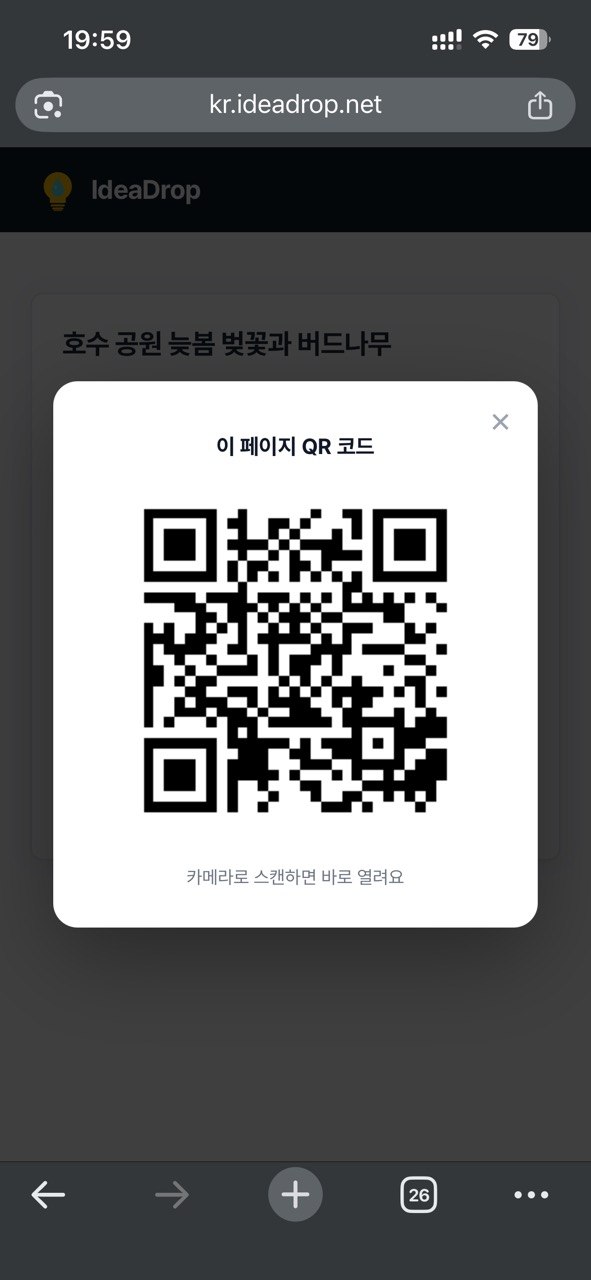
Turn the page into a QR code — print it on-site.
Someone walks by, scans it.
No contact info exchanged. No business card. Just a scan.
The Unexpected Side Effect
Here’s something I didn’t plan for: I got better at expressing myself.
When AI returns a cleaned-up version of my messy input —
I read it and think: oh, that’s how you say it.
Next time, I explain myself a little better.
Same with writing in a second language.
Dump a rough thought in. Get proper phrasing back.
Oh — that’s the right expression.
No study required. It just happens.
AI alone doesn’t change much.
You see something amazing in a video, feel inspired for a moment, then go back to normal.
IdeaDrop is different — it makes sure what I think actually goes somewhere.
I Still Use It Every Day
Honestly — I built this for myself.
Nothing gets lost.
I keep Telegram open on my desktop while I work.
Something crosses my mind — I throw a message.
Then I keep going.
I didn’t know how good this felt until I started.
And once I started, I realized — I’m not the only one.

Something just crossed your mind, didn’t it?
Before it disappears — just say it out loud.
Just Telegram. Free to start.