
Capture ideas before they disappear.
Voice, text, or photo — drop your idea in Telegram
and AI handles the rest.
Ideas aren't always grand.
A product you want to try, a plan you want to remember, a scene you don't want to forget —
every fleeting moment is worth capturing.
Just send it to IdeaDrop — as text, voice, or photo.
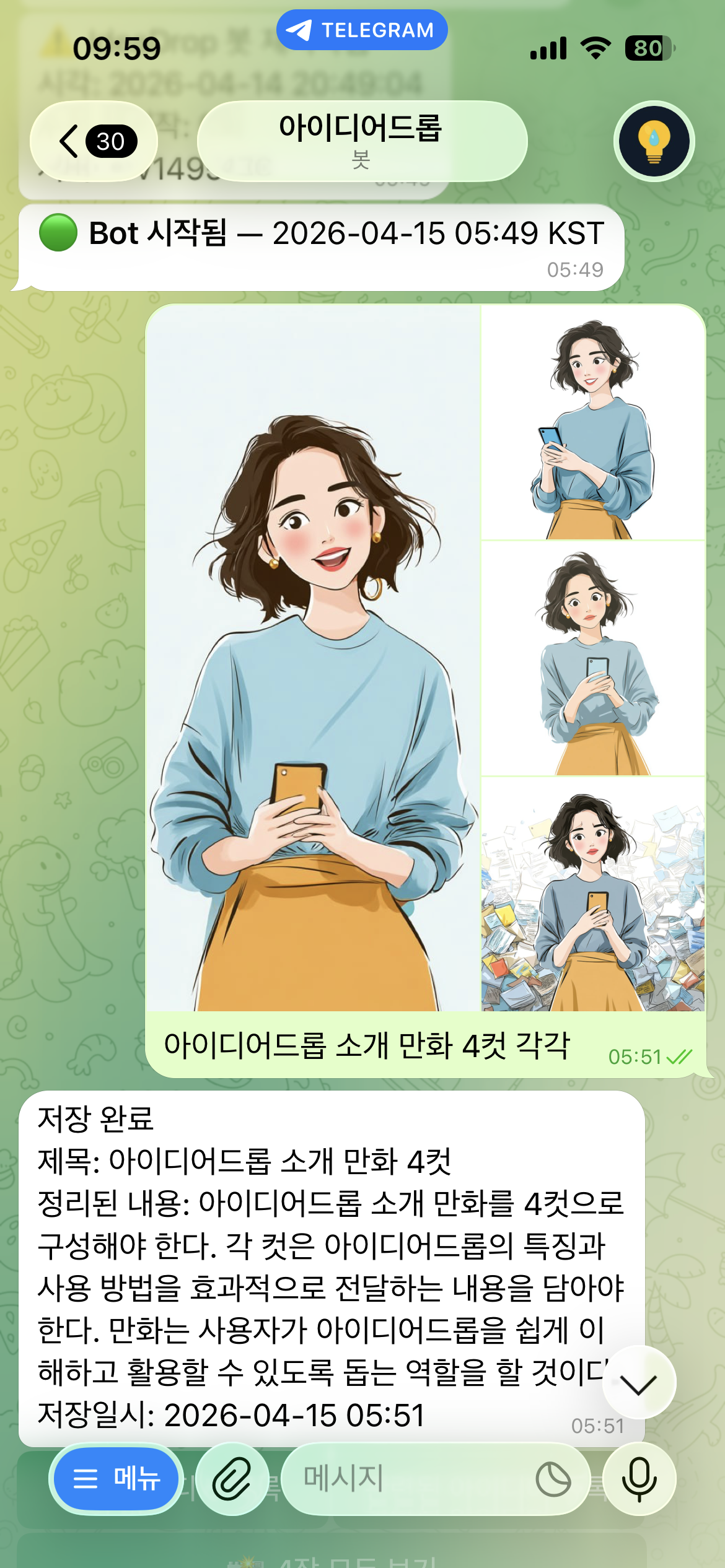
Send multiple images at once and they're saved as a single idea.
AI organizes everything, so you can find it anytime with a keyword or related search.
Try it now — free during beta
Access all features for free before the official launch.
Beta testers will receive a special discount when we launch.
Sound familiar?
You’re not alone.
Works just like your favorite messaging app — but voice doesn’t work there
You already memo to yourself in a chat app — it’s the most natural thing.
But when your hands aren’t free? Driving, cooking, walking — that’s exactly when the idea hits.
Great idea on the road, gone by the time you park
It felt important. But the moment you stop the car, it’s gone.
There was no way to capture it without your hands.
That 3am idea that vanished by morning
You were half-asleep and something clicked. By the time you woke up — nothing.
Ideas don’t wait for morning.
You saved it — but now you can’t find it
Notes app, voice memos, a chat thread — you wrote it somewhere.
The more you save, the harder it gets to find.
You took a photo for reference — buried in your camera roll
You snapped it for future reference. Now it’s lost in hundreds of photos.
When was it? Which folder? No idea.
Great thinkers don’t have better ideas — they just don’t lose them.
“I’ll remember it later.” (You won’t.)

Capture it raw, in any form. The AI organizes it so you don’t have to.
What you get back is a clear idea, ready to use.
Think freely. Stay organized effortlessly.
Three steps. That’s it.
No complex setup. Start right away.
When it hits you — just send it
Send IdeaDrop a text, a voice message, or a photo.
Multiple photos at once? Fine.
No save button needed. Just send — messy, unfinished, raw.
AI structures it for you
Messy thoughts? AI structures them for you.
Title added automatically.
Saved automatically. No extra steps.
Find anything with one keyword
Can’t remember exactly how you phrased it? Doesn’t matter.
No title, no tag, no date needed.
Type one keyword and get everything related — exact matches plus AI-linked ideas.
Nothing gets lost.

What it does
Text, voice, photo — however you send it, IdeaDrop organizes it.
Save ideas by voice
Speak, and it gets saved as text.
Hands full while driving or cooking? No problem.
Messy thoughts? AI structures them for you.
No need to write in complete sentences or follow any format.
Ramble away — AI extracts a clean title and summary from whatever you send.
No save button needed.
Photos saved as ideas
Send one photo or several — with a quick voice or text note —
and they’re bundled into a single organized idea.
Retrieve them later with a keyword and view the photos in one tap.
Create and share
Text and photos are compiled into a single shareable page.
Turn the link on or off anytime, and track how many times it’s been viewed.
Perfect for sharing before a meeting — or showing on-site via QR.
Google Calendar sync
Connect your Google Calendar
and create or check events directly from the bot.
Idea → Event
After saving or viewing an idea,
just say “Schedule this” and the bot asks when —
then registers it straight to your calendar.
Direct event booking
Say a title and “schedule it” and the bot asks for the date and time.
e.g. “Call Alex — schedule it”
Check today’s schedule
“What’s on today?”, “Tomorrow’s schedule”,
“Show this week” — answered instantly.
Keyword search
Remember a word? Find it instantly.
Search “tire” and every idea mentioning it appears.
Use two keywords to filter ideas that contain both.
Use this when the word comes to mind.
AI related search
Can’t remember the exact word? AI finds it anyway.
Search “mom” and get results for gift ideas, family trips, parent-related notes —
even if the exact word doesn’t appear.
Use this when you only have a feeling.
See it in action
Here’s how people actually use it.
While driving
Situation: Idea hits on the highway
What you do: Open Telegram, voice memo only
“Oh right I need to get my tires replaced this weekend — the shop near my place, gotta look up the price and find the number”
Saved as
Title: Tire replacement
Summary: Look up price & contact for nearby tire shop. Visit this weekend.
Days later — finding it again
Search “tire” → found immediately. Called the shop right away.
3am idea
Situation: Half-awake with a story idea from a dream
What you do: Eyes barely open
“There was something in the dream, the main character was walking and then…”
Result
Saved note still there in the morning. Dream idea not lost.
Photo drop
Situation: Sent 4 reference images to IdeaDrop
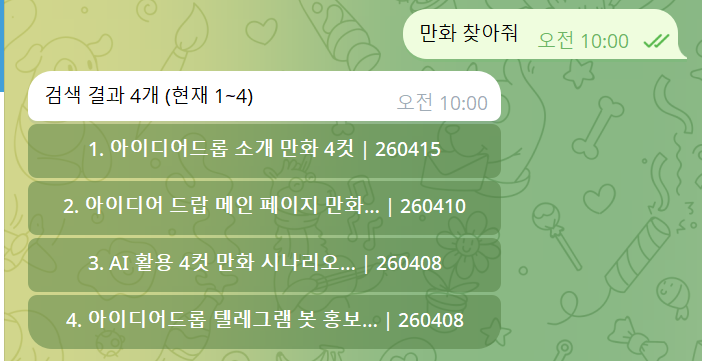
Later: Only remember the word “comic”
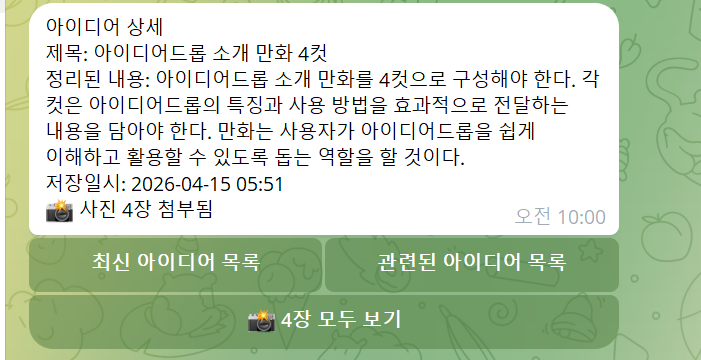
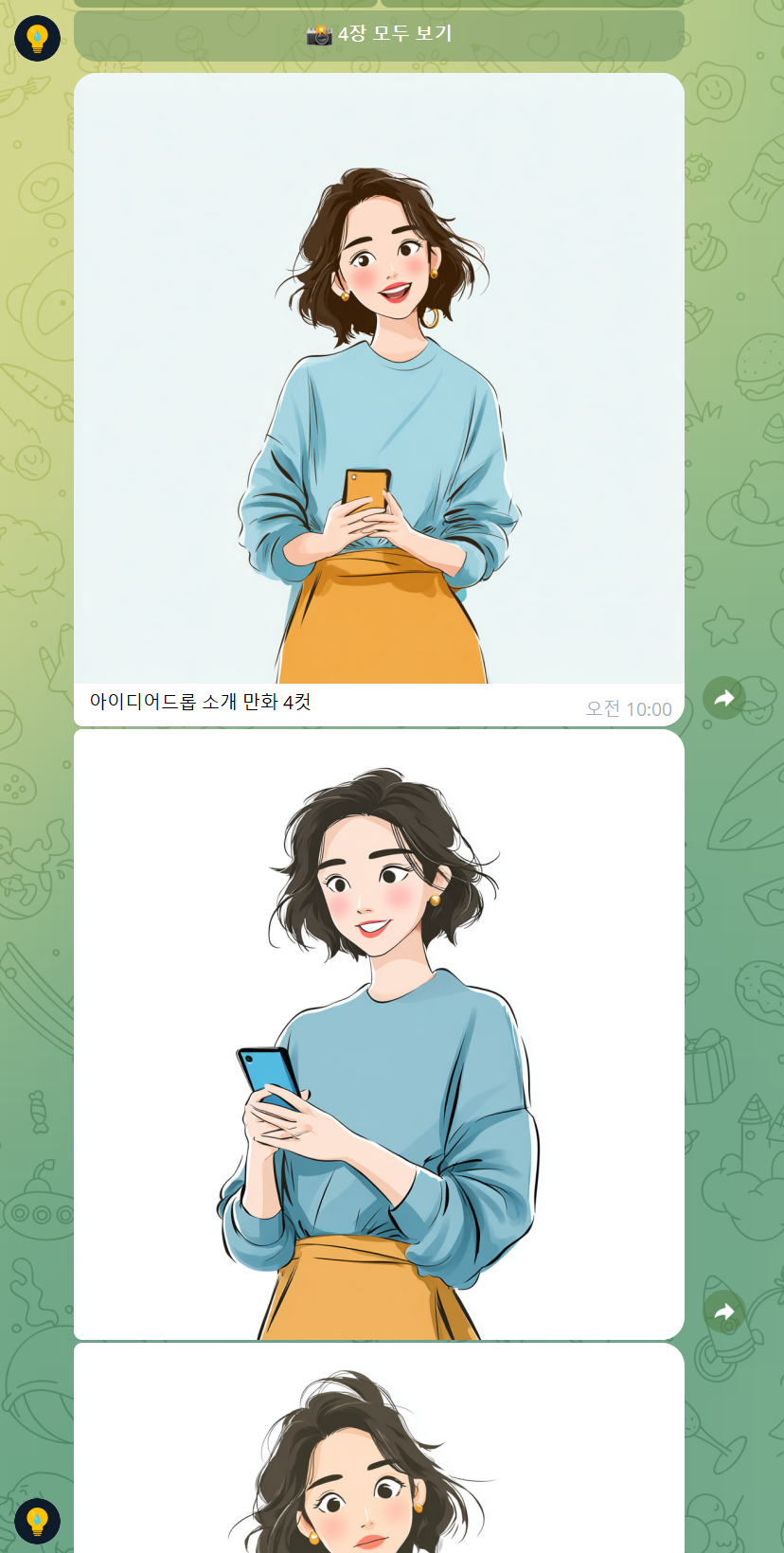
Search “comic” → result appears → tap to view → all 4 images right there
Result
Photos + description saved as one idea. Found with a single keyword.
Spotted while shopping
Situation: Found something at the store you want to buy later
What you do: Snap a photo →
“Want this later — today’s price $49”
Result
Photo + note saved as one idea. No digging through your camera roll — just search “store”.
Idea → Action
Situation: Business idea just hit you
What you do: Save it by voice → later say
“Schedule this for next Tuesday at 10am”
Result
Automatically added to Google Calendar.
Sharing before a meeting
Situation: Want to send reference material before a meeting
What you do: Tap the share button on a saved idea
Result
The bot generates a shareable link.
Send the link — no app required on their end.
On-site? Share instantly via QR code.
Simple pricing
Start free — upgrade only when you need to.
Install Telegram
If Telegram isn’t on your phone yet, grab it for free.
Available on the App Store and Google Play.
Start the IdeaDrop bot
Tap the button below to open the Telegram bot and hit START.
No sign-up required. Completely free.
Why Telegram?
You might wonder why it’s Telegram-based. Here’s the honest answer.
Telegram is the pipe, not the vault
Everything you say or type is encrypted and stored on IdeaDrop servers.
Telegram only delivers the message — it doesn’t store your ideas.
Telegram doesn’t keep your content
The chat window receives and forwards your message.
Your private ideas never stay on Telegram’s servers.
Voice, photo, text — no extra app needed
Telegram supports all three in one free messenger.
Works just like your favorite messaging app — you already know how to use it.
900 million users worldwide
Free on iOS and Android, no ads.
Install only from the official app stores.
Your ideas are safe
Here’s exactly where your data goes and how it’s protected.
Encrypted on IdeaDrop servers
All ideas are encrypted and stored on IdeaDrop servers.
No third party can access them.
Voice originals deleted immediately
Voice messages are deleted the instant AI transcription is complete.
Only the text version is retained.
Never sold or shared
Your idea data is never sold or shared with third parties.
Google Gemini receives a temporary copy for AI processing, then immediately deletes it.
How to use
Speak naturally and IdeaDrop understands. The phrases below make it even faster.
Save an idea
“Oh right I need to replace my tires…”
Say it however you like. No need for complete sentences.
Idea → Event
“Schedule this”
Works right after saving or viewing an idea.
Just say “Schedule this” and the bot handles the rest.
Book an event
“Call Alex — schedule it”
Title + “schedule it” — bot asks for the time and saves to calendar.
Check schedule
“What’s on today?”
Day/week + “schedule” gives you an instant list.
Keyword search
“Search: investment”
Keyword + “search” finds saved ideas. Two keywords filters to items containing both.
AI related search
“Related search: mom”
Keyword + “related search” — finds ideas connected by meaning, not just exact words.
📌 Good to know before you start
AI takes a moment
Results may not appear instantly after you send
AI is processing your input. Give it a second — you’ll get used to the rhythm quickly.
Wait 1 second before speaking
Hold → wait 1 second → then speak
Speaking immediately after pressing record can cut off the beginning.
Something just crossed your mind, didn’t it?
Don’t let it slip.
Just say it before it’s gone.